

KTorrent
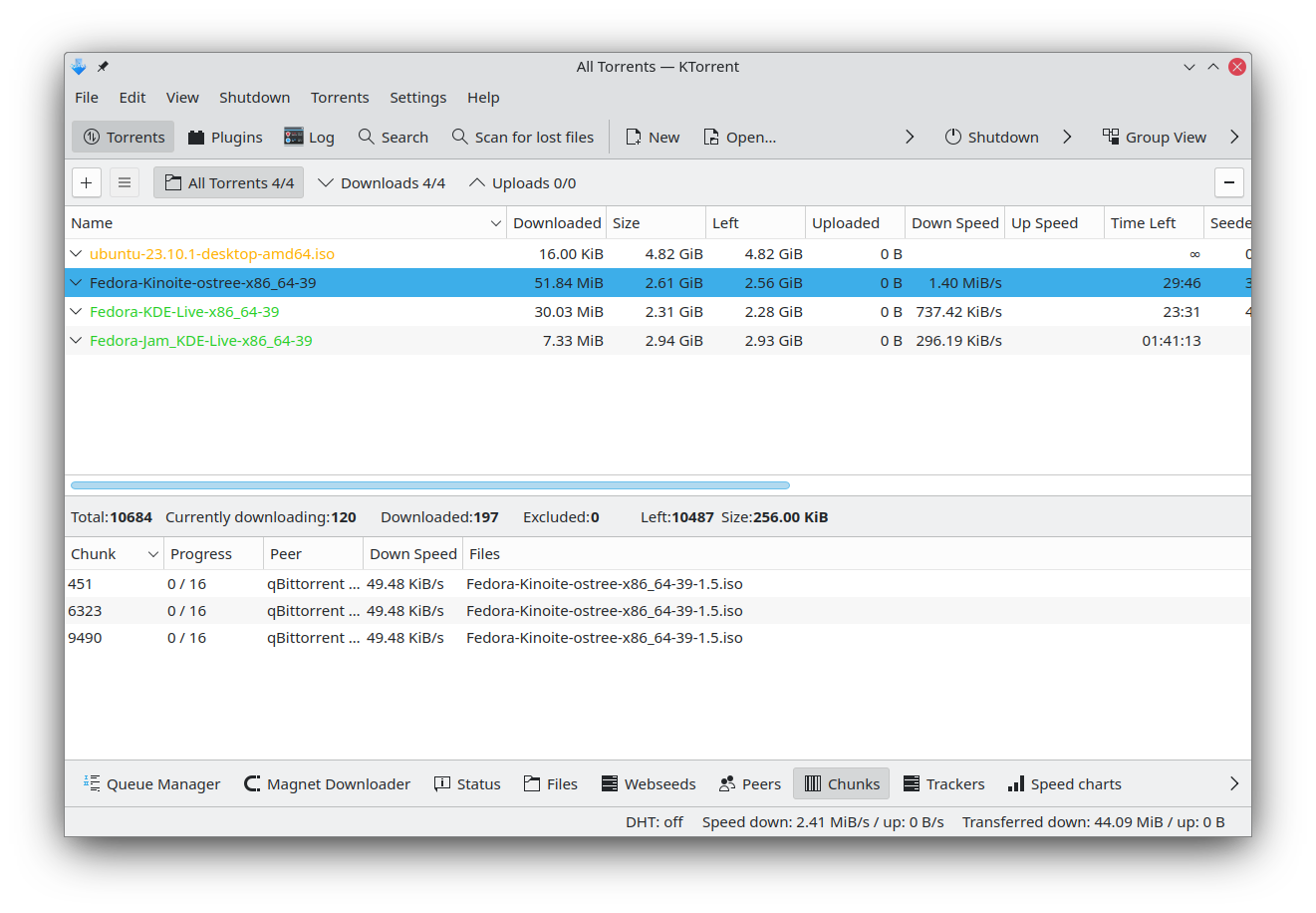
Discover KTorrent, the powerful BitTorrent client for Linux. Read our review of its advanced queueing, speed limits, and plugin system.
Streamline Your Linux Downloads with KTorrent BitTorrent Client
If you need to manage heavy file transfers on a Linux system without losing control over your network bandwidth, the KTorrent BitTorrent client by KDE is designed specifically for you. Unlike basic downloaders, this application provides an advanced level of control over how, when, and at what speed your files are transferred. It serves as a highly robust solution for users who demand both automation and granular customization in their peer-to-peer activities.
Advanced Bandwidth and Queue Control
At the heart of the KTorrent BitTorrent client is a sophisticated management system. Users can set global speed limits to prevent torrent traffic from choking their entire internet connection, or assign specific speed caps to individual high-priority torrents. The built-in queuing system ensures that your downloads progress in an orderly fashion without overloading your system resources.
Key Features of the KTorrent BitTorrent Client
- Selective File Downloads: Choose exactly which files to download from a multi-file torrent and prioritize critical data.
- Integrated Media Previewing: Preview audio and video files using built-in players before the download is fully complete.
- Robust Security & Tracking: Features UDP tracker support, private tracker compatibility, protocol encryption, and an IP Filter dialog to easily ban problematic peers.
- Modern Network Standards: Includes support for DHT (Distributed Hash Table), µTorrent peer exchange, webseeds, and UPnP for automated port forwarding.
- Expandable Architecture: Extend the native functionality of your setup with a variety of specialized plugins.
Who Is This Client For?
This software is ideal for Linux power users who need more than a simple magnet-link handler. Whether you are managing private trackers that require strict authentication, or you need to route your traffic through a proxy server, this tool adapts to complex networking environments seamlessly while remaining integrated with your system tray for quiet background operations.
Explore the Official Release
To experience this feature-rich download manager on your own Linux setup, head over to the official distribution page on Flathub to review the setup requirements and get started.